If your wrist starts aching after hours of emails, spreadsheets, or design work, switching your pointing device can make a bigger difference than you’d expect. The real question is: should you go with an ergonomic mouse or a trackball to reduce wrist strain?
This guide breaks down how each one affects your wrist/forearm, the pros and cons, and which option is usually the best choice for desk jobs.
Why wrists hurt at a desk (quick context)
Most desk-related wrist pain comes from a mix of:
- Wrist extension (bending the wrist upward on the desk)
- Forearm pronation (twisting the forearm so your palm faces down)
- Repetitive clicking and micro-movements
- Tension grip (squeezing the mouse)
- Poor desk height / lack of forearm support
A better pointing device can reduce these stressors—but each type does it differently.
What is an ergonomic mouse?
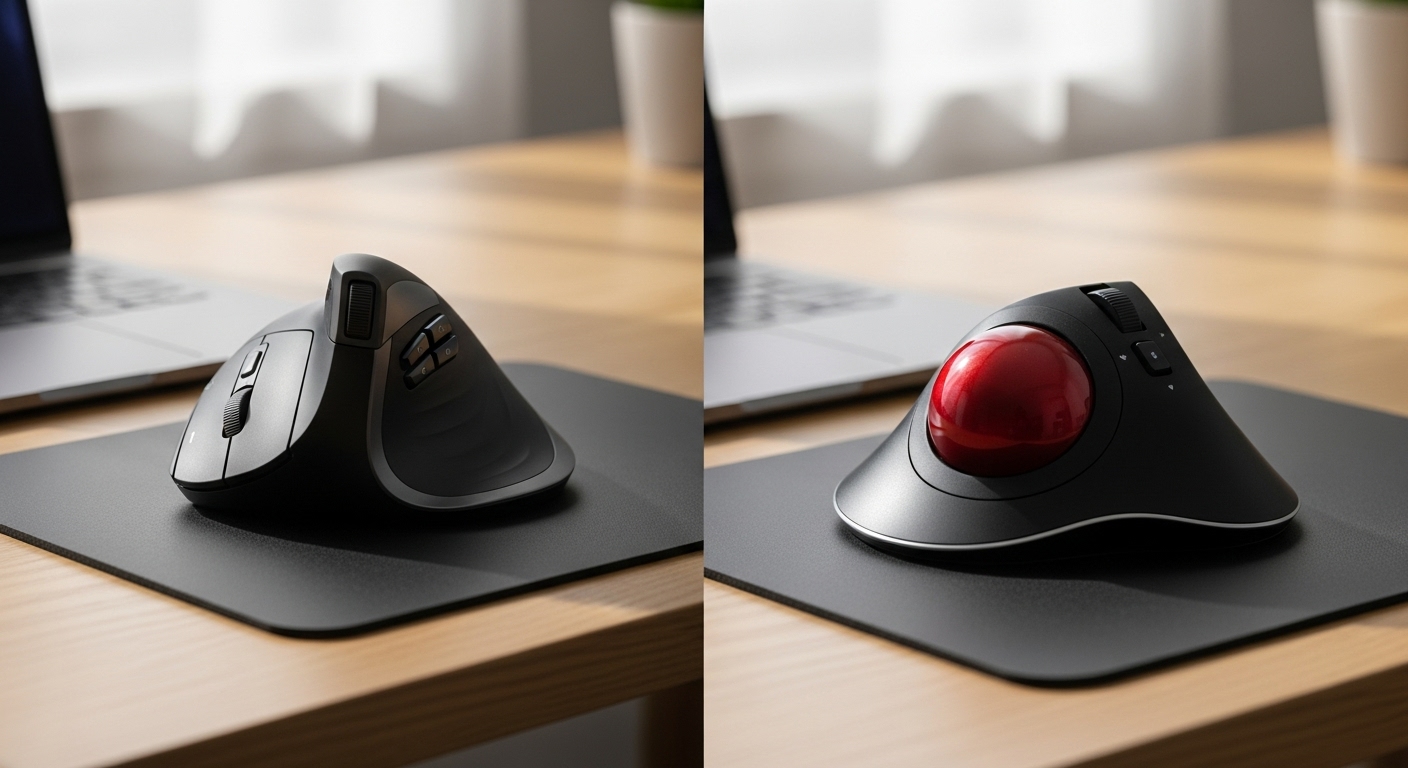
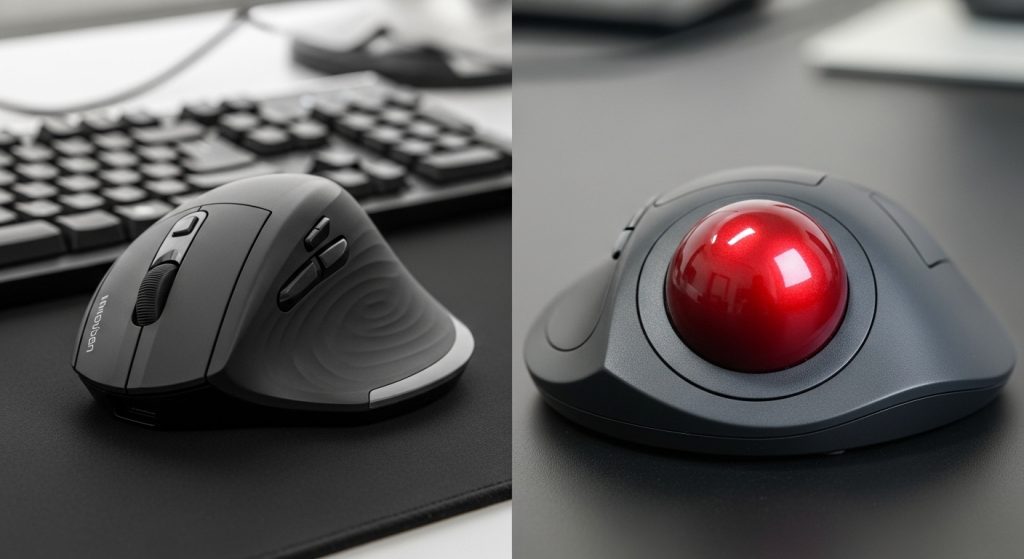
An ergonomic mouse is shaped to keep your hand in a more natural position. The most common is a vertical ergonomic mouse, which rotates your hand slightly so your forearm twists less.
Pros of an ergonomic mouse
- More natural wrist/forearm angle (especially vertical models)
- Easy transition from a standard mouse (usually 1–3 days)
- Better for precise cursor work (spreadsheets, design, editing)
- Familiar feel for scrolling, dragging, and fast navigation
Cons of an ergonomic mouse
- Still requires arm movement across the desk
- If your setup is poor, you can still end up with wrist extension
- Some shapes don’t fit all hand sizes (too big/small = more strain)
- Can encourage death grip if you’re stressed or rushing
What is a trackball?
A trackball stays in place. You move the cursor by rolling a ball with your thumb or fingers. Your arm stays mostly still, which can reduce repetitive arm/wrist movement.
There are two common types:
- Thumb trackball (ball moved by thumb)
- Finger trackball (ball moved by fingers)
Pros of a trackball
- Minimal arm movement (big for people with shoulder/forearm fatigue)
- Can reduce repetitive wrist motion because the device doesn’t move
- Great for tight desk spaces
- Often comfortable for long sessions once you adapt
Cons of a trackball
- Learning curve (often 3–10 days to feel natural)
- Some people feel thumb fatigue (thumb trackballs), especially with heavy use
- Can be less ideal for fast drag-and-drop workflows at first
- Precision can be excellent, but it takes time and good settings to get there
Ergonomic impact: what actually reduces wrist strain more?
This is the key part. Both can help, but they reduce strain in different ways.
1) Forearm twist (pronation)
- Vertical ergonomic mouse: Often reduces pronation a lot (hand is more “handshake” position).
- Trackball: Hand position depends on the model, but many trackballs also reduce pronation because your arm can stay relaxed.
Edge: Slight advantage to vertical ergonomic mice for pronation—if the mouse shape fits you.
2) Wrist movement and micro-repetition
- Ergonomic mouse: Still involves moving the mouse, which can mean repeated small wrist motions (unless you move from the arm).
- Trackball: Cursor movement happens via ball—less wrist travel, less desk friction.
Edge: Trackball (especially for people whose pain is from repeated movement).
3) Wrist extension (bent wrist on desk)
- Both can still cause extension if your desk is too high or your wrist rests on the edge.
- Trackballs sometimes help because your hand can stay more anchored without pushing the device.
Edge: Tie. Setup matters more than device here.
4) Grip tension and clicking fatigue
- Ergonomic mouse: More likely to involve grip tension because you “hold” and push it.
- Trackball: Less gripping, more resting; clicking remains, but gripping often reduces.
Edge: Trackball for people who tense up and grip hard.
5) Shoulder/arm strain
- Ergonomic mouse: Still requires moving the mouse—can irritate shoulder/elbow for some.
- Trackball: Arm stays still—often a big relief.
Edge: Trackball.
Which is better for your job type?
Choose an ergonomic mouse if you…
- Do lots of precision work (Excel, CAD-light tasks, photo edits)
- Need fast, familiar scroll + drag + select
- Want a quick adjustment period
- Feel pain mainly from forearm twist and awkward wrist angles
Choose a trackball if you…
- Feel pain from repetitive movement or shoulder/forearm fatigue
- Have limited desk space
- Tend to “grip” your mouse tightly without realizing it
- Are willing to adapt for a week to get long-term comfort
Common mistakes that make both options fail
Even the best device won’t help much if these stay broken:
- Desk is too high (wrists bend up)
- No forearm support (shoulders lift)
- Mouse/trackball too far away (reaching)
- Too low sensitivity (you over-move)
- Clicking too hard (stress grip)
Quick fix checklist:
- Keep elbows around 90 degrees
- Rest forearm lightly on desk or armrest
- Raise pointer speed slightly to reduce movement
- Take 30–60 second breaks every hour
The optimal choice (honest recommendation)
If you want the most consistent wrist-strain reduction for typical desk jobs, the best “overall” choice is usually:
✅ A vertical ergonomic mouse
Because it reduces forearm twist, keeps precision strong for office tasks, and has a shorter learning curve—so people actually stick with it.
But there’s one important exception:
✅ If your pain is tied to repetitive movement or shoulder/arm fatigue, a trackball is often the better long-term fix—because it removes most of the movement that triggers strain.