If your wrist hurts after a full workday, the problem is often not the mouse itself, but how it’s set up and how you’re using it. Small adjustments to DPI, pointer speed, grip, and posture can dramatically reduce strain—sometimes more than buying new hardware.
This guide focuses on practical, proven tweaks you can apply today.
Why mouse setup causes wrist pain (quick explanation)
Most desk-job wrist pain comes from a combination of:
- Too much wrist movement (instead of arm movement)
- Low DPI + low pointer speed (forces constant dragging)
- Over-gripping the mouse
- Poor wrist angle (bent up or sideways)
- Repetitive micro-adjustments
Fixing these reduces cumulative stress over hours.
1) Set your DPI correctly (this matters more than you think)
What DPI actually does
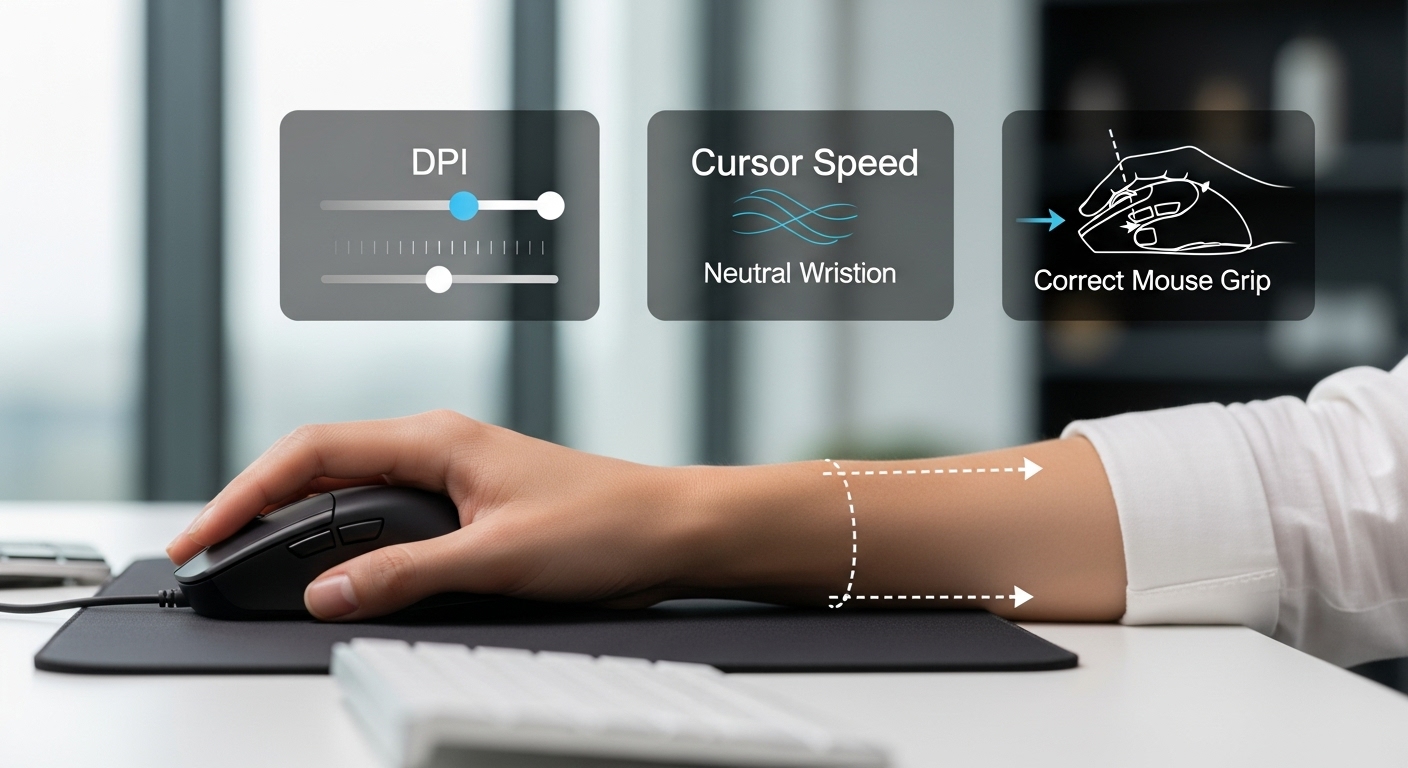
DPI controls how far the cursor moves relative to your physical hand movement.
- Too low DPI → you drag the mouse constantly → wrist strain
- Too high DPI → jittery control → tension and overcorrection
Recommended DPI range (desk jobs)
For most office and productivity work:
- 800–1600 DPI is the sweet spot
- Large or high-resolution monitors often feel better at 1200–1600 DPI
Simple test to find your DPI
- Place your hand comfortably on the mouse
- Move it from the center to the edge of your mousepad
- You should be able to reach most of the screen width without lifting or straining
If you need multiple swipes → DPI is too low.
If the cursor jumps uncontrollably → DPI is too high.
2) Adjust pointer speed (don’t leave it at default)
Why pointer speed matters
Pointer speed multiplies DPI at the OS level. Bad combinations force unnatural motion.
Recommended setting
- Set DPI first
- Then set pointer speed so small movements feel controlled and large movements don’t require dragging
Rule of thumb:
You should not need to lift or reset your mouse repeatedly during normal work.
If you constantly “run out of mousepad,” your wrist is doing too much work.
3) Use arm movement, not wrist flicking
The common mistake
Many people move the mouse by bending the wrist side-to-side. Over hours, this is one of the fastest paths to pain.
The healthier approach
- Let your forearm move slightly
- Keep the wrist mostly neutral (not bent left/right)
- Think “glide” instead of “flick”
This distributes load across larger muscles instead of small wrist tendons.
4) Fix your grip (less pressure = less pain)
Most people grip too hard
Stress, deadlines, and precision tasks cause people to squeeze the mouse without realizing it.
Healthier grip tips
- Rest your hand on the mouse — don’t clamp it
- Thumb and ring finger should guide, not squeeze
- If your knuckles turn white → you’re gripping too hard
Mental cue that helps:
“I’m resting my hand, not holding a tool.”
5) Check your wrist angle (neutral beats straight)
Ideal wrist position
- Wrist should be neutral, not bent upward
- Forearm roughly parallel to the desk
- Hand naturally aligned with forearm
What to avoid
- Wrist resting on a sharp desk edge
- Wrist bent upward because desk is too high
- Hand angled inward too aggressively
If needed:
- Lower your chair slightly
- Raise your desk or keyboard tray
- Add soft forearm support (not wrist pressure)
6) Mouse placement (small change, big relief)
Correct placement
- Mouse should be close to your body
- Elbow relaxed at your side (not flared out)
- Mouse height equal to keyboard height
Reaching forward or sideways forces shoulder tension, which transfers stress to the wrist.
7) Reduce unnecessary clicks and movements
Easy efficiency tweaks
- Increase scroll speed slightly
- Use keyboard shortcuts for common actions
- Adjust double-click speed so you don’t “slam” clicks
Less repetition = less inflammation over time.
8) Take micro-breaks (they actually work)
You don’t need long breaks. You need frequent tiny ones.
Simple rule
- Every 30–45 minutes:
- Relax your hand
- Roll your wrist gently
- Open and close your fist 5–10 times
This restores blood flow and resets tension.
Common setup mistakes to avoid
- Ultra-low DPI because “it feels precise”
- Wrist-only movement
- Mouse too small or too large for your hand
- Desk too high causing wrist extension
- Ignoring early discomfort signals
Pain doesn’t start suddenly—it builds quietly.
The optimal setup (for most desk workers)
If you want a safe, practical baseline:
- DPI: 1000–1600
- Pointer speed: medium-high (no constant dragging)
- Grip: relaxed, resting
- Movement: forearm-led, wrist neutral
- Posture: elbows ~90°, mouse close to body
This setup reduces strain without changing how you work.
Final takeaway
Wrist pain isn’t inevitable. In most cases, it’s a setup problem—not a medical one.
Before buying new gear:
- Fix DPI
- Fix pointer speed
- Fix grip and wrist angle
These changes take minutes and can save months of discomfort.